
Essential Coding Tools Every Developer Needs in 2026
Explore the must-have coding tools for 2026, including URL rewriting, htaccess redirect generation, JSON formatting and conversion, JavaScript minification, and CSS optimization utilities.
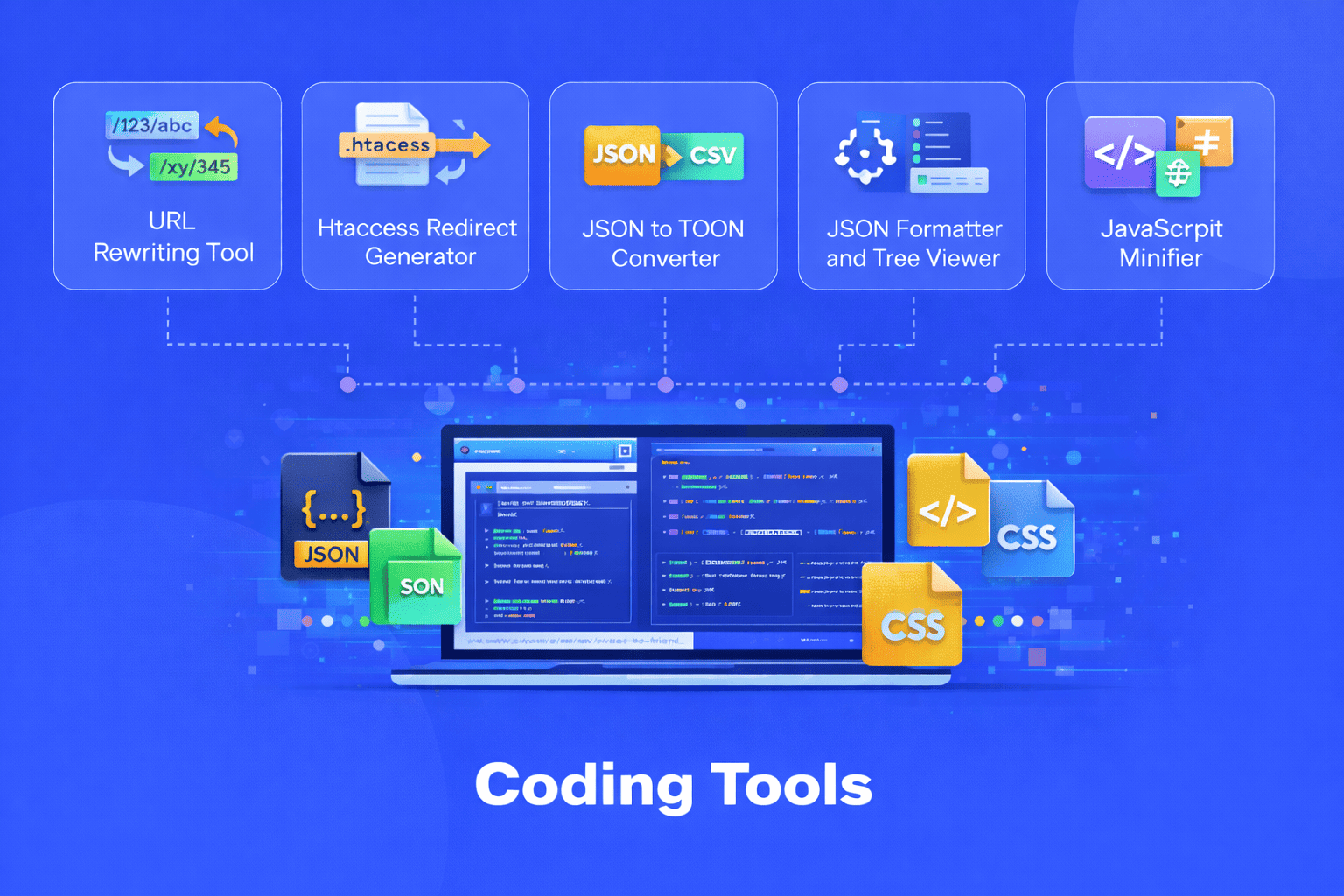
As we navigate through 2026, the development landscape continues to evolve at a rapid pace. However, certain fundamental challenges remain constant managing server configurations, processing data efficiently, and optimizing code for production environments. The difference between a struggling developer and a productive one often comes down to having the right tools at your fingertips.
Modern web development demands more than just coding skills. It requires a strategic approach to workflow optimization, performance enhancement, and code management. The coding tools available today have become indispensable allies in tackling these challenges, transforming complex tasks into simple, automated processes that save hours of manual work.
URL Rewriting Tool: Creating Clean, SEO-Friendly URLs
The URL Rewriting Tool stands as a cornerstone utility for modern web development. In 2026, user experience and search engine optimization remain critically intertwined, and URL structure plays a pivotal role in both.
This tool enables developers to transform complex, parameter-heavy URLs into clean, readable paths that communicate meaning to both users and search engines. Instead of displaying URLs like "product.php?cat=electronics&item=123&color=blue", the URL Rewriting Tool helps create elegant alternatives like "products/electronics/smartphones/blue-iphone".
The benefits extend far beyond aesthetics. Search engines favor descriptive URLs that clearly indicate page content. Users are more likely to click on and share URLs that make sense at a glance. Clean URLs also improve site architecture, making it easier to organize content logically and maintain consistent navigation patterns across large websites.
For developers working with various web frameworks and content management systems, URL rewriting has become a standard practice. The tool simplifies the process of creating rewrite rules, testing different URL patterns, and implementing changes without requiring deep knowledge of server configuration syntax. This accessibility democratizes good URL design, making it achievable for developers at all skill levels.
Htaccess Redirect Generator: Mastering Server-Level Navigation
The Htaccess Redirect Generator addresses one of the most critical yet often overlooked aspects of web management properly handling redirects. When websites undergo restructuring, domain migrations, or content consolidation, managing redirects becomes essential for maintaining SEO value and user experience.
This tool generates precise redirect rules for Apache servers, the most widely used web server platform. Whether implementing 301 permanent redirects for moved content, 302 temporary redirects for maintenance periods, or more complex redirect patterns, the generator creates properly formatted htaccess rules that ensure seamless navigation.
The importance of correct redirects cannot be overstated. Broken links frustrate users and damage search engine rankings. When pages move or are removed, proper redirects guide visitors and search engine crawlers to the appropriate destinations. This preserves link equity built over time and maintains the professional integrity of your web presence.
The Htaccess Redirect Generator eliminates the guesswork and potential errors involved in manually writing redirect rules. It provides a user friendly interface where developers specify source and destination URLs, select redirect types, and generate production ready code. This ensures redirects are implemented correctly the first time, avoiding the technical debt that accumulates from hasty or incorrect configurations.
JSON Formatter and Tree Viewer: Visualizing Data Structures
Working with JSON has become unavoidable in modern development. APIs communicate through JSON, configuration files use JSON format, and data storage increasingly relies on JSON documents. The JSON Formatter and Tree Viewer transforms the often frustrating experience of working with JSON into a manageable, even pleasant task.
Raw JSON, especially when minified or poorly formatted, appears as an impenetrable wall of text. The formatter takes this compressed data and transforms it into properly indented, hierarchically organized structures. Suddenly, the relationships between data elements become clear. Nested objects reveal their structure. Arrays display their contents in an accessible way.
The tree viewer component adds another dimension to JSON understanding. By presenting JSON as an interactive, collapsible tree structure, developers can navigate complex data hierarchies intuitively. This visual representation proves invaluable when debugging API responses, analyzing configuration files, or understanding data models from unfamiliar systems.
For developers working with large JSON files containing hundreds or thousands of lines, the tree viewer provides essential navigation capabilities. Collapse irrelevant sections to focus on specific data points. Expand branches to explore nested structures. Search for specific keys or values across the entire document. These features transform data exploration from a tedious search through text into an efficient, targeted investigation.
The combination of formatting and tree visualization serves multiple workflow needs. During development, quickly verify API response structures. While debugging, identify exactly where data deviates from expectations. When integrating third-party services, understand their data formats without extensive documentation review.
JSON to TOON Converter: Seamless Data Transformation
Data rarely stays in a single format throughout its lifecycle. The JSON to TOON Converter addresses the need for flexible data transformation, enabling developers to convert JSON structures into TOON (Tree Object Oriented Notation) format and vice versa.
TOON format provides an alternative representation for hierarchical data that emphasizes clarity and human readability. While JSON serves as the universal exchange format for APIs and web services, TOON offers advantages in certain contexts, particularly for configuration files, documentation, and scenarios where human editing is common.
The converter eliminates the manual work and potential errors involved in transforming data between formats. Developers paste their JSON data, initiate the conversion, and receive properly formatted TOON output. The reverse process works equally smoothly, converting TOON back to valid JSON when needed for API consumption or data storage.
This bidirectional conversion capability supports flexible development workflows. Use TOON format for configuration files that team members need to edit manually, then convert to JSON for application consumption. Accept JSON data from external APIs, convert to TOON for review and modification, then convert back to JSON for further processing.
The tool handles complex nested structures, arrays, and various data types, ensuring that data integrity remains intact throughout the conversion process. This reliability makes it suitable for use in automated workflows, build processes, and data pipeline operations where consistent transformation is essential.
JavaScript Minifier: Optimizing Client-Side Performance
JavaScript has grown to dominate modern web development. As frameworks and libraries expand in size and applications become more feature-rich, the JavaScript payload sent to users' browsers has grown substantially. The JavaScript Minifier directly addresses this performance challenge.
Minification removes everything from JavaScript code that serves human readability but isn't required for execution. Comments that explain code logic, whitespace that creates visual separation, descriptive variable names that clarify purpose all these elements disappear during minification, leaving compact code that browsers execute identically to the original.
The performance impact is substantial. JavaScript files commonly shrink by 30-60% through minification. For a website loading 500KB of JavaScript, minification could reduce that to 200-250KB. This translates directly into faster page loads, reduced bandwidth consumption, and improved user experience, especially for visitors on mobile networks or slower connections.
In 2026, with Core Web Vitals continuing to influence search rankings and user expectations for instant loading remaining high, JavaScript optimization isn't optional it's essential. The minifier enables developers to maintain readable, well-commented code throughout development while ensuring production deployments deliver optimal performance.
The tool handles modern JavaScript syntax, including ES6+ features, ensuring that contemporary development practices don't conflict with optimization goals. It preserves code functionality while achieving maximum size reduction, creating a win-win scenario where developers maintain productivity during coding while users benefit from enhanced performance.
CSS Minifier: Streamlining Stylesheet Delivery
Cascading Style Sheets may not receive as much attention as JavaScript in performance discussions, but CSS optimization remains crucial for fast-loading websites. The CSS Minifier applies the same principles as JavaScript minification to stylesheet files, removing unnecessary characters while preserving styling functionality.
Modern CSS has grown increasingly sophisticated. Frameworks, preprocessors, and component-based styling systems generate substantial CSS code. A typical website might load multiple CSS files totaling hundreds of kilobytes. Every byte of CSS must be downloaded before browsers can render pages properly, making CSS a critical factor in perceived load times.
The CSS Minifier strips out comments, whitespace, line breaks, and redundant code from stylesheets. It optimizes color codes, removes unnecessary semicolons, and consolidates rules where possible. These optimizations accumulate into significant file size reductions, often achieving 20-40% compression.
Smaller CSS files mean faster initial page renders. Users see styled content sooner, reducing perceived load times and improving engagement. For websites with multiple CSS files, minification across all stylesheets compounds the performance benefits, potentially saving hundreds of kilobytes in total page weight.
The minifier works seamlessly with CSS generated from preprocessors like Sass or Less, handling modern CSS features and vendor prefixes without issues. This compatibility ensures that regardless of your CSS workflow or tooling choices, you can optimize for production without compatibility concerns.
Integrating Tools into Your 2026 Development Workflow
The true power of these coding tools emerges when integrated into comprehensive development workflows rather than used in isolation. Successful developers in 2026 treat these utilities as essential components of their standard processes.
During active development, keep code readable and well-structured. Use the JSON Formatter and Tree Viewer to understand API responses and debug data issues. Employ the JSON to TOON Converter when working with configuration files that benefit from human-readable formats. Configure your URL Rewriting Tool to establish clean URL patterns from the start.
As projects approach deployment, shift focus to optimization. Run JavaScript and CSS files through their respective minifiers, preparing code for production performance. Use the Htaccess Redirect Generator to implement any necessary redirects resulting from URL structure changes or content reorganization.
Many developers automate these processes through build tools and continuous integration pipelines. Configure your build system to automatically minify JavaScript and CSS during production builds. Set up automated testing to verify that minified code functions correctly. Integrate URL rewriting and redirect generation into deployment checklists to ensure these critical configurations never get overlooked.
Best Practices for Coding Tool Usage
To maximize value from coding tools, adopt several best practices that experienced developers rely on in 2026.
First, maintain clear separation between development and production code. Keep development versions of JavaScript and CSS fully formatted with comments intact. Apply minification only to production builds, ensuring maintainability while achieving optimal performance.
Second, validate tool outputs before deploying to production. While these tools are reliable, verification prevents issues from propagating. Test minified JavaScript and CSS in staging environments. Verify that URL rewrites function correctly across different scenarios. Confirm that redirects lead to intended destinations.
Third, document your tool usage and configurations. When team members need to understand URL rewrite patterns or locate source files for minified code, clear documentation eliminates confusion and reduces onboarding time for new developers.
Fourth, stay informed about tool updates and new features. The development tool ecosystem evolves continuously, with new optimizations and capabilities emerging regularly. Periodically review your toolset to ensure you're leveraging the latest improvements.
Finally, understand what each tool does and when to apply it. Knowing whether you need formatting or minification, understanding redirect types and their implications, and recognizing when data conversion adds value enables more effective problem-solving and better technical decisions.
The Evolution of Coding Tools
Looking at the trajectory of development tools through 2026, several trends have become apparent. Integration with AI-powered development assistants continues expanding, with tools offering intelligent suggestions and automated optimizations based on code analysis.
Cloud-based implementations have become standard, providing access from any device and supporting distributed development teams. Collaboration features enable multiple developers to work with the same tool configurations, ensuring consistency across projects.
Performance optimization has intensified as a priority, with tools achieving greater compression ratios and optimization improvements while maintaining code quality and functionality.
Despite these advances, the fundamental value proposition remains constant coding tools eliminate tedious manual work, reduce human error, and enable developers to focus on creative problem-solving rather than repetitive configuration and optimization tasks.
Conclusion
The coding tools covered here URL Rewriting Tool, Htaccess Redirect Generator, JSON Formatter and Tree Viewer, JSON to TOON Converter, JavaScript Minifier, and CSS Minifier form an essential toolkit for developers working in 2026. Each addresses specific technical challenges that developers encounter regularly, providing solutions that improve efficiency, enhance performance, and maintain code quality.
Whether you're building your first website or architecting complex web applications, these tools level the playing field, making professional grade optimization and configuration accessible to developers at all skill levels. They represent the difference between fighting against technical friction and working smoothly toward your development goals.
As the web continues evolving and development practices advance, the need for practical, reliable coding tools that solve real problems will remain fundamental to productive software development. Investing time to understand and integrate these utilities into your workflow pays dividends in efficiency, code quality, and professional capability.
Share this article:
Frequently Asked Questions
URL Rewriting Tools create rules that transform how URLs are processed internally by your server, making them cleaner and more SEO-friendly without changing the actual file structure. Htaccess Redirect Generators create rules that send users and search engines from one URL to another, which is essential when pages move or are deleted. Use rewriting for clean URLs and redirects when managing changed or removed content.
The JSON Formatter and Tree Viewer help you read and understand JSON data during development and debugging by making it visually organized and navigable. The JSON to TOON Converter transforms data between different formats entirely, useful when you need to work with TOON format for configuration files or documentation. They serve different purposes—one clarifies existing JSON, the other transforms it to an alternative format.
No, you should keep development files unminified and well-formatted with comments intact. Minified code is difficult to read and debug. Use minification only for production deployments where performance is critical. Most modern development workflows maintain separate development and production versions, applying minification automatically during the build process.
No, properly minified code functions identically across all browsers. Minification only removes characters that make code human-readable (whitespace, comments, formatting) without altering the code's logic or functionality. Modern minification tools handle browser compatibility considerations and preserve code behavior across all platforms.
Minification typically reduces JavaScript file sizes by 30-60% and CSS files by 20-40%. For a website loading 500KB of JavaScript and 200KB of CSS, minification could save approximately 200-250KB total. This translates to noticeably faster load times, especially for users on mobile networks or slower connections, and can improve search engine rankings through better Core Web Vitals scores.
Basic understanding of the code or configuration you're working with helps, but most coding tools in 2026 feature intuitive interfaces designed for accessibility. You can typically paste your code, select options, and get results with minimal technical knowledge. However, understanding what each tool does and when to apply it enables more effective usage and helps you troubleshoot any issues that arise.

Related Articles

Free Letter Counter Tool: How to Count Characters, Words, and Letters Instantly
Most people do not think about character counts until they absolutely have to. Your tweet gets rejected for being too long. Your Meta description gets cut off in Google search results. Your college application essay goes over the limit and you have no idea by how much. These are the moments when a free letter counter tool becomes genuinely useful. The good news is you do not need a complicated piece of software or a paid subscription to count letters, characters, and words accurately. A free online tool does it all instantly, in real time, right in your browser. In this guide, I am going to show you exactly what a letter counter tool does, who needs it, and how to use it to get accurate text statistics in seconds.
Read Article
How to Check Your Domain DNS Health for Free and Fix Issues Fast
Most website owners set up their domain once and never look at the DNS settings again. Everything seems fine until emails stop delivering, the website goes down after a hosting change, or Google flags the domain for missing security records. By that point the damage is already done. A quick domain DNS health check takes less than thirty seconds and tells you exactly whether your DNS records are correctly configured or quietly causing problems you have not noticed yet. In this guide I am going to show you exactly how to run a free DNS health check on any domain, what the results mean, and what to do if something needs fixing.
Read Article
How to Create a Fake Instagram Post Online Without Any App or Software
If you have ever searched for a way to create a fake Instagram post online, you already know how hard it is to find a tool that actually works well. Most options are either too complicated, full of watermarks, or ask you to download software you never wanted in the first place. The good news is you do not need any of that. A free online fake Instagram post generator lets you create a realistic looking Instagram post right in your browser, in under two minutes, with no app, no login, and no design skills required. Whether you need it for a school project, a marketing mockup, or just for fun with friends, this guide will show you exactly how to do it step by step.
Read Article